Which payment methods are accepted?
All four methods below work on mobile. Each one credits your account within 3 minutes once the transfer is confirmed by the payment network. The minimum deposit for all methods is ৳150.
-
bKash
Deposit: ~3 min
Withdraw: ~12 min
Min. ৳150 -
Nagad
Deposit: ~3 min
Withdraw: ~12 min
Min. ৳150 -
Rocket
Deposit: ~3 min
Withdraw: ~12 min
Min. ৳150 -
Upay
Deposit: ~3 min
Withdraw: ~12 min
Min. ৳150
How to complete a V8BD deposit, step by step
The process is the same regardless of which wallet you use. These five steps take most players under three minutes.
- Log in to your account Go to v8bd.cam/v8bd-login/ and sign in. If you do not have an account yet, register first — it takes about 90 seconds.
- Open the Deposit page Tap the wallet icon or select "Deposit" from the top menu inside your account dashboard. The page shows all available payment methods.
- Choose your method and amount Select bKash, Nagad, Rocket or Upay. Enter the amount you want to deposit — minimum ৳150. The system will show the agent number to send money to.
- Send money from your wallet app Open your bKash / Nagad / Rocket / Upay app, go to Send Money, and transfer the exact amount to the number shown. Copy the Transaction ID (TrxID) shown in the confirmation.
- Submit the Transaction ID Paste the TrxID into the V8BD deposit form and tap "Confirm Deposit". Your balance updates within 3 minutes once the transaction is verified.
Notes for each payment method
bKash
bKash is the most widely used option. Use the Send Money option in the bKash app — not "Payment". Payment transactions are processed differently and may not credit automatically.
- Open bKash app → tap Send Money
- Enter the agent number displayed on the V8BD deposit page
- Enter the exact amount (at least ৳150)
- Add your V8BD username in the reference field (optional but speeds up processing)
- Enter your bKash PIN and confirm
- Copy the 10-character TrxID from the confirmation SMS
- Paste the TrxID into the V8BD form and submit
Nagad
Nagad works the same way as bKash. Use Send Money in the Nagad app. The TrxID is an 8-digit number shown in the confirmation screen and in your SMS.
- Open Nagad app → tap Send Money
- Enter the number shown on the V8BD deposit page
- Enter the exact amount
- Confirm with your Nagad PIN
- Copy the TrxID from the confirmation screen or SMS
- Submit TrxID on the V8BD deposit form
Rocket (DBBL)
Rocket (Dutch-Bangla Bank's mobile wallet) supports both app and USSD (*322#). The TrxID is called a "Transaction Reference" in Rocket confirmations.
- Open Rocket app or dial *322#
- Select Send Money
- Enter the agent number from the V8BD deposit page
- Enter the exact amount
- Confirm with your Rocket PIN
- Note the Transaction Reference number
- Enter it in the V8BD deposit form and submit
Upay
Upay is UCB's mobile financial service. The process mirrors bKash. Make sure your Upay wallet has enough balance before starting the deposit.
- Open Upay app → tap Send Money
- Enter the number shown on the V8BD deposit page
- Enter the exact deposit amount
- Confirm with your Upay PIN
- Copy the TrxID shown after confirmation
- Submit it on the V8BD form
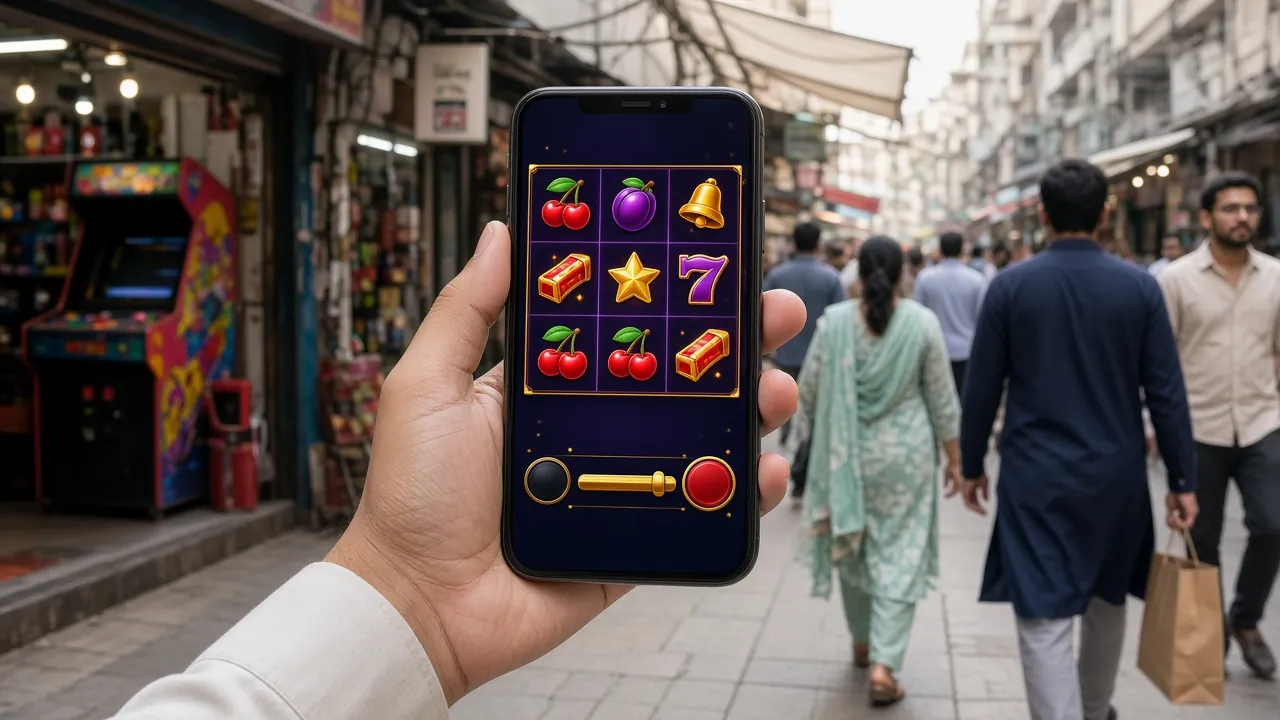
Your first deposit unlocks a 245% welcome bonus up to ৳11,000. The bonus is added automatically — no code needed. Wagering requirement is 25× the bonus amount.
Stay safe when you send money
Mobile wallet fraud is real. These habits protect your money every time you make a deposit — take 30 seconds to read them.
-
Never share your PIN or OTP with anyone V8BD support will never ask for your bKash PIN, Nagad PIN or any one-time password. If someone claiming to be support asks for it, end the conversation immediately and report it.
-
Only transfer to the number shown inside your V8BD account The agent number is displayed after you select your method and enter your amount on the deposit page. Do not transfer to any number received by SMS, Telegram or phone call — even if the caller claims to be from V8BD.
-
Take a screenshot of every transaction confirmation Save the confirmation screen from your wallet app and keep it until your V8BD balance is updated. If processing takes longer than 10 minutes, the screenshot and TrxID are what live chat will need to trace the payment.
-
Write down the Transaction ID (TrxID) before closing the app The TrxID is the unique reference that links your wallet transfer to your V8BD deposit. Without it, tracing a delayed payment takes much longer. Copy and paste it — do not retype it by hand.
-
Be alert to fake "agent" calls and messages Fraudsters sometimes call saying your deposit "failed" and offer to fix it if you send money again. If you're unsure whether a deposit went through, check your V8BD balance and your wallet transaction history first — then contact our 24/7 live chat directly from the site.
When a deposit does not go as expected
Most deposit issues have a simple fix. Work through the relevant entry below before contacting support — it is usually faster.
My balance has not updated after 10 minutes
Likely cause: The TrxID was not submitted, or the wallet transfer went to a different number than the one shown on the deposit page.
Fix: Check your wallet transaction history to confirm the transfer went through. If it did, open live chat and provide the TrxID, the amount, the method used, and the time of transfer. Keep your wallet confirmation screenshot ready. Most cases are resolved within a few minutes of providing the TrxID.
I entered the wrong Transaction ID
Likely cause: You typed the TrxID instead of copying and pasting it, which introduced a typo.
Fix: Contact live chat and provide the correct TrxID from your wallet app's transaction history. The team can manually match the transaction to your account. Going forward, always copy the TrxID from the wallet confirmation screen.
I sent money but V8BD says the deposit form was never submitted
Likely cause: You completed the wallet transfer but closed the V8BD deposit page before tapping "Confirm Deposit" and entering the TrxID.
Fix: Go back to the Deposit page, select the same method, and look for a "Pending" or "Incomplete" transaction option. If you cannot find it, start a live chat session with your TrxID, transfer amount and wallet number. Do not send a second payment until this one is resolved.
My wallet shows the money was deducted but the recipient shows no credit
Likely cause: The transfer may still be in a pending state on the payment network, which occasionally happens during high-traffic periods (match nights, weekends).
Fix: Wait up to 15 minutes. Network delays resolve automatically in most cases. If it has been longer than 15 minutes and the recipient amount still shows zero in your wallet history, raise a dispute with your wallet provider (bKash/Nagad customer line) and separately inform V8BD live chat with your TrxID.
I deposited but the welcome bonus was not added to my account
Likely cause: The bonus applies to your first deposit only. If this is not your first deposit, or if the account was previously flagged, the automatic bonus trigger may not activate.
Fix: If this is genuinely your first deposit and the bonus (245% up to ৳11,000) has not appeared within 10 minutes of your balance updating, contact live chat with your TrxID and account username. The team can verify eligibility and apply it manually if appropriate.
The deposit page is not showing an agent number
Likely cause: Agent slots are assigned dynamically. During peak hours all slots for a particular method may be temporarily occupied, so the system waits before assigning a new one.
Fix: Refresh the deposit page after 2–3 minutes. If no number appears after a second refresh, try a different payment method (e.g. switch from bKash to Nagad). If all methods show the same issue, live chat can confirm whether maintenance is in progress.
Questions players ask about V8BD deposits
Quick answers to the questions that come up most often.
What is the minimum deposit amount on V8BD?
The minimum deposit is ৳150 for all payment methods — bKash, Nagad, Rocket and Upay. There is no maximum deposit amount set by V8BD, though your individual wallet provider may have its own daily Send Money limits. Check your bKash or Nagad app settings if you plan to deposit a larger amount.
How long does a V8BD deposit actually take to show in my balance?
Once you submit the TrxID on the deposit form, your balance is typically updated within 3 minutes. During very busy periods (IPL match nights, BPL weekends) it can occasionally take up to 10 minutes. If it has been longer than 10 minutes, contact live chat with your TrxID. We have 24/7 live chat available.
Can I use someone else's bKash or Nagad account to deposit?
No. The mobile wallet number you use to deposit must match the name and phone number registered on your V8BD account. Deposits from a third-party wallet are not accepted and may be returned or held pending a review. This policy exists to prevent fraud and protect your account. If you need to change your registered number, contact support before depositing.
Does depositing more money unlock a bigger welcome bonus?
The first-deposit welcome bonus is 245% of whatever you deposit, up to a maximum bonus of ৳11,000. So depositing ৳4,490 or more gives you the full ৳11,000 bonus. Depositing less still earns the 245% rate on that amount. The bonus carries a 25× wagering requirement. Full terms are on the bonus page.
What is the daily cashback if I keep playing after my first deposit?
V8BD offers a daily cashback of 1.7% for Starter-tier players. As your monthly turnover grows, your cashback rate increases — Silver tier gets 1.8%, Gold 1.9%, Ruby 2.0%, and Sapphire 2.1%. Cashback is calculated on net losses and credited automatically. See the Bonus & VIP page for full tier requirements.
Do I need to complete any identity steps before depositing?
You can deposit and play immediately after registering — no document upload is required upfront. Identity documents (National ID Card, Passport or Driving Licence) are required before your first withdrawal. The review takes up to 24 hours. It is a good idea to submit your documents shortly after your first deposit so your first withdrawal is not delayed.
Ready to make your first V8BD deposit?
Create your account in 90 seconds, deposit from ৳150 with bKash or Nagad, and your 245% welcome bonus is added automatically.
18+ · Play Responsibly. Gambling should be entertainment, not a way to earn money. Set a deposit limit that fits your budget and stick to it. If you feel gambling is becoming a problem, visit our Responsible Gaming page for resources and self-exclusion options.